Generate anything.
With anyone in it.
Four image models, real controls, and pricing per render rather than per month. Train your own people and pets once and their likeness holds across every model and style — or plug Loralume into Claude and generate right in the conversation.
A real generator.
Not a prompt box.
Settings and prompt on the left, your render big on the right, and the last 25 shots one click away underneath. Nothing to install.
- Four models, priced per photo
- FLUX Premium for signage, hands and dense scenes. RealVis, Juggernaut and epiCRealism for photoreal, cinematic and analog looks. The cost per image is on the button before you spend anything.
- The controls you actually expect
- Resolution, steps, seed lock, negative prompt, guidance, batch size. Every control has a tooltip explaining what it does — and what it costs.
- Your people, in any scene
- Drop in a trained subject and the likeness follows you across models, lighting and styles. Add several for a group shot and each face gets its own pass.
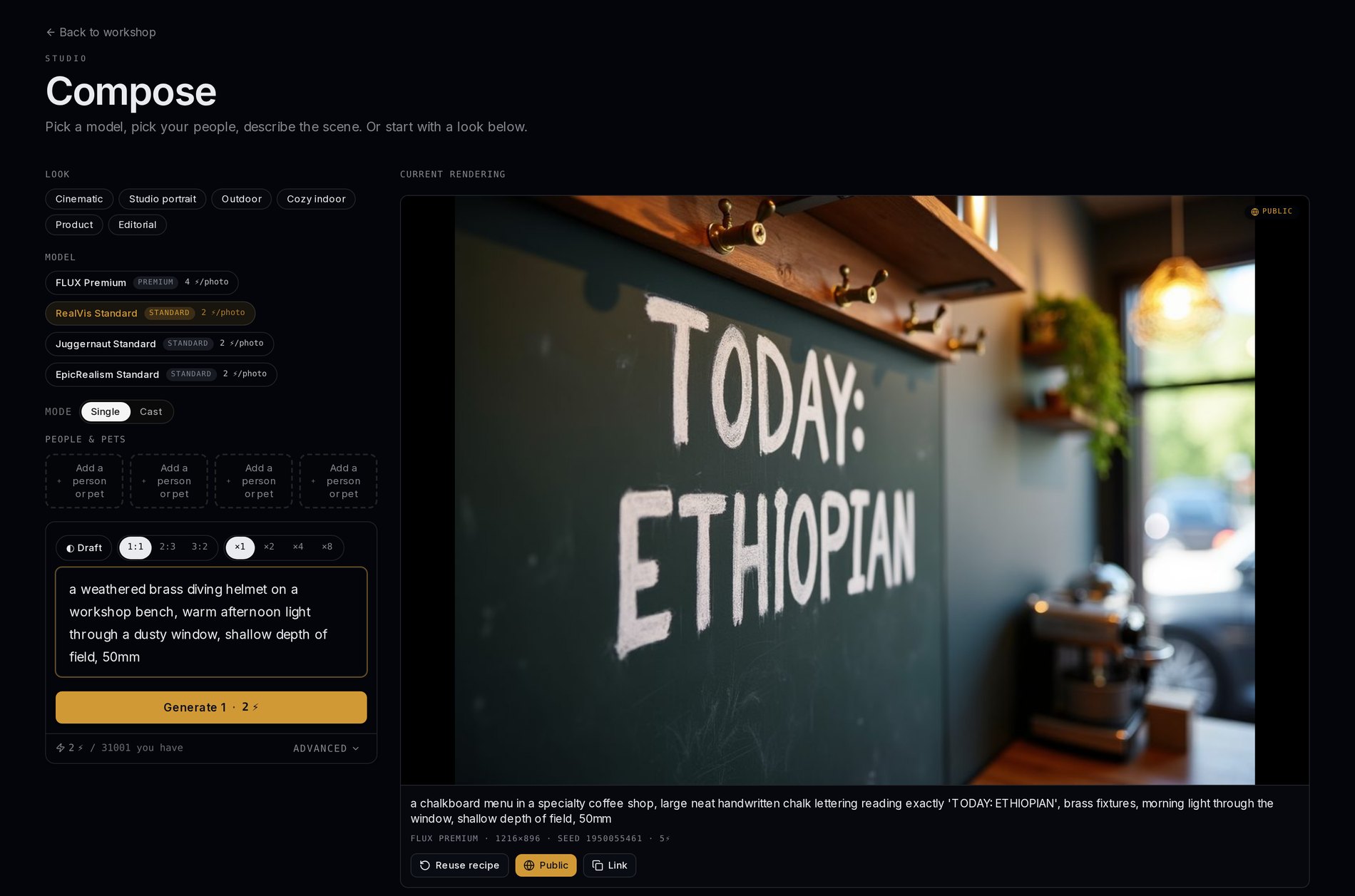
Actual screenshot · rendered on FLUX Premium for 5 Sparks
Use it from Claude.
Or whatever you already talk to.
Loralume is a Model Context Protocol server, so it plugs straight into the assistant you already use. Ask for a photo in the conversation you’re already having and it comes back in the same thread — same models, same trained subjects, same Sparks.
- list_subjects
- see the people and pets you've trained
- generate_image
- render a scene with one of them in it
- generate_cast_image
- put several of them in one shot
- get_generation
- pull the finished image back into the chat
- list_models
- pick FLUX or a Standard model
- get_balance
- check Sparks before a big batch
Sign in once with OAuth — no API key to paste, nothing to copy out of a settings page. Your assistant gets scoped access to your account and you can disconnect it whenever you like.
Running on FLUX.1-dev, RealVisXL v5, Juggernaut XL and epiCRealism XL — on our own GPUs, so your subjects never leave the platform.
How it works
Nothing to install. First render in about a minute.
FLUX Premium for signage, hands and dense scenes. RealVis, Juggernaut and epiCRealism for photoreal, cinematic and analog looks. The cost per image is on the button before you spend.
Resolution, steps, seed lock, negative prompt, guidance, batch size — the controls you'd expect, each with a tooltip explaining what it does.
Optional. Train a person or pet once and the likeness holds across every model, lighting setup and style. Add several and each face gets its own pass.
Download the full-resolution file, share it, or connect Loralume to Claude and generate without leaving the conversation.
Rendered on hardware we own.
The subjects you train are yours alone — never shared, never used for anyone else's renders. Start with 200 Sparks free, no card, and see what the models can do before you decide anything.
Start generating